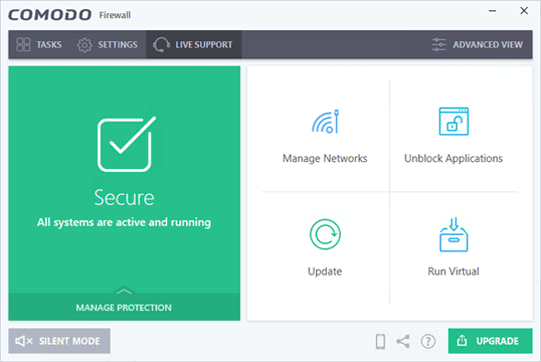
Upgrade to full protection
Take your basic protection to the next level with
Comodo Internet Security Pro
* Includes Firewall, Antivirus and more!
A personal firewall protects users from internet threats by implementing security policies that restrict network communications in and out of a computer. A personal firewall is extremely important for computers with a static IP address or one with a stable IP address, such as with cable modems or DSL.
A personal firewall provides a layer of protection from intruders that will stop or reveal issues before they impact your computer. A personal firewall works behind the scenes to control the flow of data and will alert you if suspicious activities occur.
For example, a Personal firewall is important when,
- You surf the internet at home using an 'always on' broadband connection
- You connect to the internet via a public WiFi network in a park, cafe or airport
- You run a home network which needs to be kept isolated from the internet
- You wish to be kept informed when any program on your computer attempts to connect to the internet
Most Personal Firewalls are highly configurable so you can easily create security policies to suit your individual needs.
How does a firewall help out?
A good personal firewall will:
- Block all unauthorized inbound or outbound connection attempts on your computer
- Allow you to specify exactly which programs are permitted to access the internet
- Stealth the ports on your computer so hackers cannot locate and attack you
- Let you specify parental controls to filter out inappropriate websites
- Maintain detailed activity and connection logs so you can troubleshoot issues
- Isolate your internet browser in a virtual container so online threats cannot access your private data
A personal firewall is an essential internet security tool - especially against 'Trojan Horse' programs which masquerade as benign while attempting to steal your confidential information behind your back.
A Firewall monitors and controls network traffic in and out of a computer. Firewalls use 3 types of filtering mechanisms:
-
Packet filtering:
The data is transmitted through packets of information. The basic duty of the Firewall is to analyse whether these packets of information are unwanted or suspected of malicious activity. -
Proxy:
A proxy Firewall is on a dedicated computer and can appear to be the recipient and responder, shielding the IP Address of the computer actually doing the communication.Comodo's Personal Firewall and Internet Security do not offer this mechanism. However, Comodo's TrustConnect is a proxy virtual private network (VPN) that will shield your IP address when using WiFi.
-
Stateful Inspection:
Stateful inspection is a firewall technology that monitors the state of active connections and uses this information to determine which network packets to allow through the firewall. Stateful inspection is also known as dynamic packet filtering.
Firewall Rules:
Firewall rules are requirements that can be customized. Creating or disabling the filter rules can be done considering the following conditions
-
IP Addresses
Suspicious IP addresses can be blocked. -
Domain names
Permit only specified domain names to be accessible over your systems and servers, such as .edu or .mil. -
Protocols
The access level of protocols like SMTP, IP, ICMP, FTP, UDP, Telnet or SNMP. -
Ports
You can close entry ports that may be susceptible to hackers or malicious program and disconnect the ports of servers that have been connected to the Internet.This helps user or the administrator to maintain a disciplined flow of data.
-
Keyword
A Firewall can check on the flow of data to determine if it matches keywords used to block unwanted information flowing in.
![]() |
![]() |
|
Firewall |
Internet |
|
| Intelligent antivirus & anti-malware Detects threats no one even heard of yet. | yes | yes |
| Home Network Security Scan your home network for weak spots. | yes | yes |
| Browser Cleanup Get rid of annoying browser add-ons. | yes | yes |
| Auto Sandbox Technology™ The sandbox is a virtual operating environment for untrusted programs. | yes | yes |
| Game Mode User's gaming experience such as alerts, virus database updates or scheduled scans.. | yes | yes |
| Silent Firewall Shield your computer from hackers. | no | yes |
| Anti-spam Keeping your inbox junk-free feels good. | no | yes |
| Spyware Scanning Spyware Scanner detects and cleans malware infections in PC. | no | yes |
| One-click virus scanning Make sure your PC is clean with one simple button click. | no | yes |
| Free Download | Get Now |